Advanced Programming Lavidya Admin
29
Videos
482
Minutes
544
Views
Select a video to watch

0 free videos available

Course Content

Preview course lessons and materials

29

Course Curriculum

29 videos
how greedy are your processes? | Linux niceness
#1 10 min
how greedy are your processes? | Linux niceness

Summary of the Text: 1. Introduction to Process Prioritization in Linux: - The text discusses "priority" processes in Linux, which allocate CPU resources among tasks. - A process can be assigned a "nice" value ranging from -20 (highest priori...

How CPU Efficient is your App?
#2 20 min
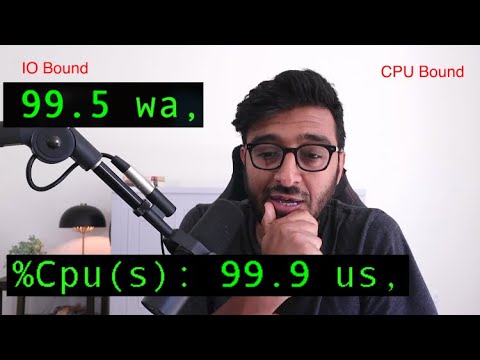
How CPU Efficient is your App?

Summary of the Text: 1. Types of Backend Workloads: - Two main types of backend workloads are identified: - I/O-bound workloads: Applications heavily reliant on input/output operations (e.g., disk or network). - CPU-bound workloads: Ap...

How does the Kernel manage backend Connections?
#3 5 min
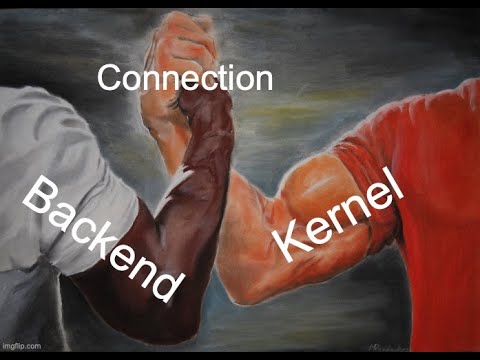
How does the Kernel manage backend Connections?

Summary of the Text: 1. Core Question: - The discussion revolves around how the Linux kernel manages two specific queues—SYN Queue (SNQ) and Accept Queue—for socket listeners. - The key question is whether the kernel maintains separate SNQ an...

What happens before the Backend gets the Request
#4 52 min
What happens before the Backend gets the Request

Comprehensive Final Summary: The document provides an in-depth exploration of the request lifecycle in backend systems, emphasizing the importance of understanding each stage to optimize performance and scalability. Below is a consolidated summary...

Your SSD lies and that's ok .. I think
#5 30 min
Your SSD lies and that's ok .. I think

الخلاصة النهائية: تتناول هذه المادة التعقيدات المرتبطة بالتفاعل بين مكونات أنظمة التخزين، بدءًا من أقراص التخزين (HDDs وSSDs) إلى أنظمة التشغيل وقواعد البيانات، مع التركيز على التوازن بين الأداء والموثوقية. يُظهر الكاتب أن كل طبقة من النظام تضيف تع...

Google pushes TCP Protective Load Balancing to Linux Kernel 6.2
#6 15 min
Google pushes TCP Protective Load Balancing to Linux Kernel 6.2

Summary of the Text: 1. New Linux Kernel Feature: - A feature called "Preventive Load Balancing for TCP (PLB)" is being integrated into Linux kernel version 6.2, expected to be released in the coming months. 2. Origin and Research: - This fe...

Threads and Connections | The Backend Engineering Show
#7 50 min
Threads and Connections | The Backend Engineering Show

Comprehensive Final Summary: This document explores the intricacies of multithreading in backend software engineering, with a specific focus on network communication and TCP connection management. The discussion spans several key areas, including t...

ByteDance makes Linux kernel reboots faster
#8 11 min
ByteDance makes Linux kernel reboots faster

Summary of the Text: 1. Proposal for Kernel Improvements: - Bindance, the company behind Tech Talk, proposed enhancements to the Linux kernel to speed up its restart process. - This improvement is particularly relevant for large companies lik...

This decades old Linux function is now 4 times faster
#9 8 min
This decades old Linux function is now 4 times faster

Summary of the Text: 1. Improvement in Linux's memchar Function: - The memchar function in Linux, originally introduced around 1991, has been optimized in a recent update, making it approximately four times faster for large-scale search operatio...

Linux Big TCP might change the game for Google (and other cloud providers)
#10 15 min
Linux Big TCP might change the game for Google (and other cloud providers)

Summary of the Text: 1. Introduction to Big TCP: - A new feature called "Big TCP" has been introduced in Linux Kernel 5.19. - This feature is particularly beneficial for cloud service providers rather than individual users. 2. Purpose of Big...

Google thinks Linux is slow to reboot, so they patched it
#11 10 min
Google thinks Linux is slow to reboot, so they patched it

Summary of the Text: 1. Problem Description: - Google faces a unique issue where Linux servers take up to a minute to reboot due to having more than 16 NVMe PCIe SSD drives. - Each NVMe drive takes approximately 4.5–5 seconds to shut down and...

Google Patches Linux kernel with 40% TCP performance
#12 13 min
Google Patches Linux kernel with 40% TCP performance

- Google's Linux Kernel Update: Google has released an update for the Linux kernel that significantly improves TCP protocol performance by up to 40% when handling a large number of simultaneous TCP connections. - Optimization Technique: The performa...

Fundamentals of Operating Systems
#13 11 min
Fundamentals of Operating Systems

Summary of the Text: 1. Course Introduction: - The course, titled "Operating System Fundamentals," aims to teach how to build efficient programs by understanding operating systems. - It includes personal stories and experiences, making it eng...

They made Kafka 80% faster by switching file systems
#14 32 min
They made Kafka 80% faster by switching file systems

Final Comprehensive Summary Algro achieved a remarkable 82% improvement in CFA producer rights by optimizing file system performance, as detailed in their technical blog titled "Unlocking CFA Potential by Addressing Latency Using EBPF." Instead of...

They made Python faster with this compiler option
#15 27 min
They made Python faster with this compiler option

Final Summary The discussion revolves around the impact of compiler optimization levels, specifically -O2 and -O3, on Python's performance when compiled on Fedora Linux. These optimizations play a critical role in balancing execution speed, binary...

IO uring gets Zero Copy network operations
#16 16 min
IO uring gets Zero Copy network operations

Summary of the Text: 1. Continuous Improvement in iio Performance: - The performance of the Linux kernel's iio subsystem keeps improving with each new release. - A notable feature, "zero-copy between socket buffers," has been activated in L...

Kernel TLS | The Backend Engineering Show
#17 22 min
Kernel TLS | The Backend Engineering Show

Comprehensive Final Summary: TLS and KTLS 1. TLS Overview: Transport Layer Security (TLS) is a cryptographic protocol that secures communication between frontend and backend systems over an established TCP connection. It begins with a TLS handsha...

Socket management and Kernel Data structures
#18 30 min
Socket management and Kernel Data structures

Comprehensive Final Summary This lecture, presented by Hussein as part of a broader course on operating system fundamentals, delves into the intricate mechanisms by which operating system kernels manage network communications via TCP/IP. The discus...

What is Virtual memory?
#19 10 min
What is Virtual memory?

Summary of the Text: 1. Challenges with Physical Memory: - Sharing memory between multiple processes is extremely difficult in physical memory. - Processes often use the same libraries (e.g., C library), leading to redundant loading of the sa...

The rule of CPU in the Kernel
#20 11 min
The rule of CPU in the Kernel

Summary of the Text: 1. Translation between Virtual and Physical Memory: - The translation from virtual memory to physical memory is not handled by the operating system kernel but by the CPU, specifically a component called the Memory Management...

Why you need to close sockets
#21 8 min
Why you need to close sockets

Summary: 1. Establishing a New Connection: - The text emphasizes the importance of closing an existing connection and creating a new, refreshed one. - This does not imply permanent disconnection but rather returning with a clean slate. 2. Re...

Virtual Memory Areas (VMAs)
#22 9 min
Virtual Memory Areas (VMAs)

Summary in Concise Points: 1. Executable File Sections: - Executable files (ELF or EXE) contain a "text section" or "code section" where machine instructions reside. - When a process is loaded, it is mapped into its own Virtual Memory Area (V...

The Cost of Switching to Kernel Mode
#23 7 min
The Cost of Switching to Kernel Mode

Summary: 1. Kernel Components Mapping: - All kernel components are technically mapped into every process, but they are not visible to user-mode processes. - Kernel components can only be accessed by switching to kernel mode. 2. Kernel Mode S...

All Kernel Page Faults Explained
#24 20 min
All Kernel Page Faults Explained

Summary of the Text: 1. Lazy Loading and Page Faults: - The concept of "lazy loading" means data is loaded into memory only when accessed for the first time. - Every first access to memory results in a page fault because the data isn’t preloa...

The state of Direct IO in Postgres
#25 7 min
The state of Direct IO in Postgres

Summary: 1. Linux Kernel Cache and Direct I/O: - The system can extract data from the Linux kernel page cache. - By default, the system uses the page cache for operations. - Direct I/O is an option but should rarely be enabled due to ineff...

Translation Lookaside buffer
#26 12 min
Translation Lookaside buffer

Summary of the Text: 1. TLB (Translation Lookaside Buffer): - TLB is a cache in the CPU that stores mappings between virtual and physical addresses. - It improves performance by avoiding repeated memory translations for the same page. - Ac...

Freeing HTTP/1.1 Connection
#27 7 min
Freeing HTTP/1.1 Connection

Summary of the Text: 1. Connection Management in HTTP/1.1: - HTTP/1.1 allows persistent connections, but servers and clients can close them after a certain number of requests. - A default limit of 100 requests per connection is common, after...

TLS can be slow, this changes the game
#28 11 min
TLS can be slow, this changes the game

Summary of the Text: 1. TLS Protocol in User Space: - Traditionally, TLS encryption and decryption are handled in user space using libraries like OpenSSL or WolfSSL. - These libraries manage the TLS handshake, key exchange, and protocol versi...

What are page tables?
#29 3 min
What are page tables?

- The text discusses the interaction between the kernel, user processes, and the CPU, emphasizing the need for proper coordination to ensure system functionality. - Page tables play a critical role by mapping virtual addresses to physical memory addr...

About This Course

Course Description: OS Fundamentals

The OS Fundamentals course provides a comprehensive exploration of core operating system concepts, focusing on process management, scheduling, and resource allocation in Linux-based systems. Students will gain hands-on knowledge of how processes are prioritized and managed within the Linux environment, including an in-depth understanding of "niceness" values and their impact on CPU resource distribution. The course begins with foundational topics such as assigning priority levels to processes, where values range from -20 (highest priority) to 19 (lowest priority). Through practical demonstrations using tools like top and renice, students will learn how to monitor and adjust process priorities dynamically, ensuring optimal system performance. Additionally, the course delves into advanced concepts such as real-time processes and their dominance over standard processes, equipping learners with the skills to manage complex workloads effectively.

A significant portion of the course is dedicated to understanding workload types and their implications for system scalability. Students will explore two primary categories of workloads: I/O-bound and CPU-bound tasks. Using real-world examples, such as PostgreSQL for I/O-bound applications and custom C programs for CPU-intensive tasks, learners will analyze how different workloads affect system resources. The course emphasizes the importance of vertical scaling (adding more resources to a single machine) versus horizontal scaling (distributing workloads across multiple machines) and provides strategies for achieving cost-effective scalability. By leveraging Linux commands like top, students will gain insights into CPU metrics, memory usage, and system-level operations, enabling them to diagnose and optimize performance bottlenecks.

Throughout the course, students will engage in interactive experiments using Raspberry Pi devices, simulating multi-core environments to observe process behavior under varying conditions. These hands-on exercises will reinforce theoretical concepts and encourage creative problem-solving. By the end of the course, participants will have a solid grasp of Linux process management, workload optimization, and system monitoring techniques. Whether you're a beginner looking to understand the basics of operating systems or an experienced developer aiming to enhance your system administration skills, this course offers valuable insights and practical tools to help you succeed in managing modern computing environments.

What You'll Learn

Understand the concept of process priority and its impact on CPU resource allocation in Linux Learn how to adjust process priority using the "nice" and "renice" commands in Linux Discover the relationship between "nice" values and process scheduling behavior in Linux Apply knowledge of CPU-bound and I/O-bound workloads to analyze system performance Master the interpretation of CPU usage metrics such as user, system, idle, and I/O wait using tools like the "top" command Explore the effects of multithreading and multiprocessing on CPU utilization in Linux systems Identify scenarios where high CPU or I/O wait values indicate potential system bottlenecks and optimization opportunities

Course Details
Instructor: Lavidya Admin
Level: Advanced
Category: Programming
Grade:
Total Videos: 29
Total Duration: 482 min
This course includes:
29 video lessons
482 minutes of content
Mobile and desktop access
Lifetime access

About the Instructor
Lavidya Admin

Course Instructor

An advanced AI teacher with knowledge spanning all fields. Designed to explain, guide, and solve across technology, science, business, and beyond. Delivers clear, accurate insights tailored to every learner, ensuring a reliable and intelligent learning experience. Always evolving. Always teaching. 🧠✨

Limited Time Offer

Ready to Start Learning?

Join thousands of students already learning with us. Get instant access to all course materials, lifetime updates, and a certificate upon completion.

29 video lessons
Lifetime access

Mobile friendly
Certificate included
Free
No credit card required
Login to Enroll
30-day money-back guarantee